Quick Answer
Both cordless drills and impact drivers are essential for DIY and professional projects, but they serve different roles. A cordless drill is the go-to tool for drilling precise holes and driving standard screws. An impact driver excels at driving long fasteners and lag bolts into tough materials with less effort. Many pros carry both to cover all tasks efficiently.
How They Work
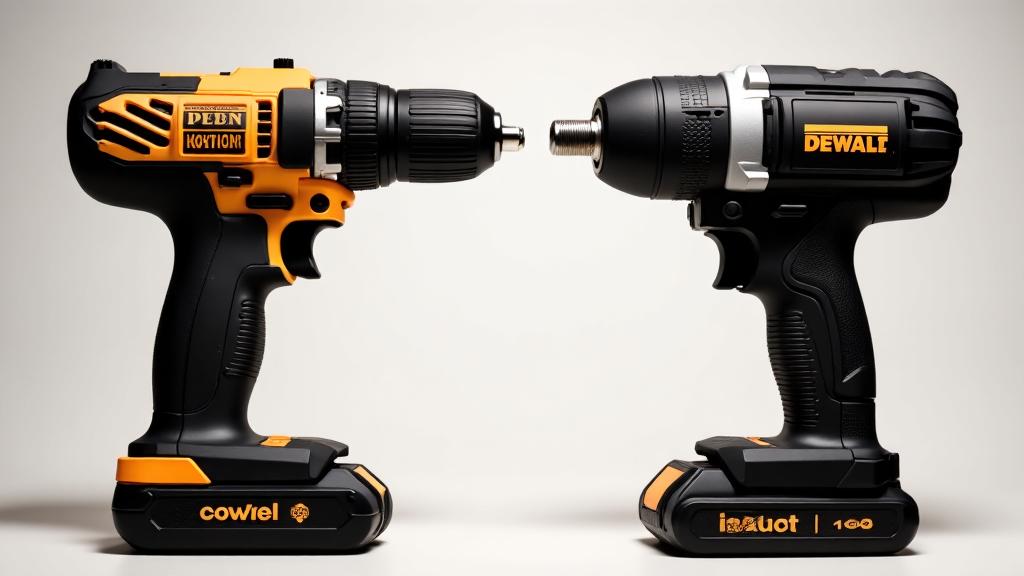
- Cordless Drill: Provides continuous rotary force (torque). It uses a chuck, typically keyed or keyless, to hold a wide range of drill bits and driver bits, making it a versatile all-rounder.
- Impact Driver: Delivers rapid bursts of rotational force in addition to rotation. This mechanism automatically increases torque when resistance is met, helping to sink screws without transferring excessive twist to your wrist.
Key Differences
| Feature | Cordless Drill | Impact Driver |
|---|---|---|
| Size & Weight | Longer and heavier | Shorter, lighter, and more compact |
| Mechanism | Steady rotational torque | Rotational torque plus percussive bursts |
| Primary Use | Drilling holes and light to medium fastening | Heavy-duty fastening (long screws, lag bolts) |
| Chuck/Bit Interface | Usually a 3-jaw chuck for round or hex bits | Accepts 1/4-inch hex-shank bits only |
When to Use Each
- Choose a Cordless Drill When you need to drill clean holes in wood, metal, plastic, or masonry (with appropriate bits). It is also the safer choice for delicate tasks like assembling furniture, installing cabinet hardware, or driving small screws where too much torque could damage the material.
- Choose an Impact Driver When you are driving large fasteners, such as 3-inch deck screws, lag bolts, or concrete screws, where sustained high torque is needed. The impact action reduces cam-out and makes quick work of repetitive fastening.
- Carry Both for the greatest efficiency. Use the drill for pilot holes and the impact driver for driving the screws that follow.
Practical Takeaways
- Start with a drill if you are building a basic toolkit. It handles both drilling and light fastening, making it the more versatile single tool. For more options, see our guide on the best cordless drill.
- Add an impact driver when you tackle larger projects like decks, framing, or heavy-duty assembly.
- Battery compatibility matters. Many cordless tool systems share batteries between drills and impact drivers, so buying the same brand lets you expand economically. Understanding motor types can also help you choose, learn more in our comparison of brushed vs brushless cordless tools.
- Listen to the tool – the impact driver's loud, repetitive tapping sound is normal; the drill's steady whine indicates continuous rotation. Do not use an impact driver for precision drilling, as the bursts can cause the bit to wander.
Always refer to the manufacturer's instructions for safe operation and specific bit recommendations.